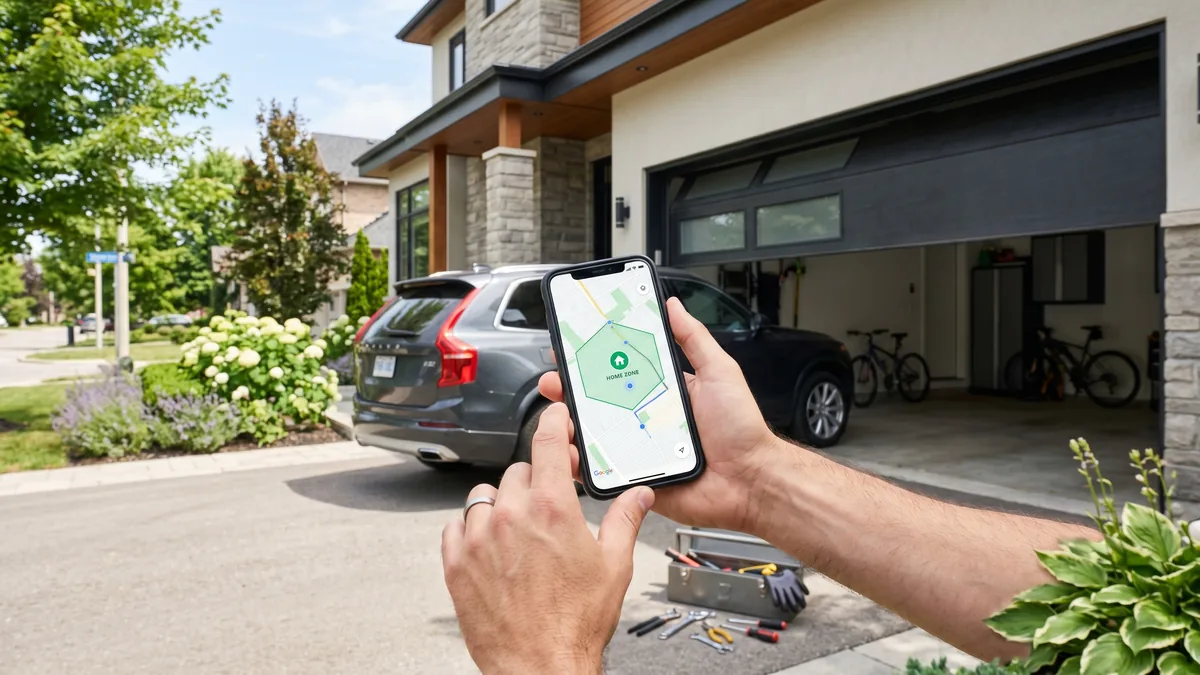
Garage door geofencing uses your phone’s GPS to draw an invisible boundary around your home so the door reacts to your location. Set it up in your opener’s app (myQ, Aladdin Connect or Tailwind): enable geofencing, grant “Always” location access, and set a radius of 100–300 metres. Note that LiftMaster myQ and Genie Aladdin only auto-close or send arrival alerts for safety — true auto-open on arrival requires a Tailwind controller or a Home Assistant automation.
What Is Garage Door Geofencing?
Geofencing is a smart-home feature that creates a virtual perimeter (a “geofence”) around your house using your smartphone’s GPS coordinates. When your phone crosses that perimeter — arriving home or leaving — the system fires an automation: opening the door as you pull into the driveway, or reminding you (or automatically closing the door) when you drive away and forget.
Pulling into a snow-covered GTA driveway in January with your hands full and watching the garage door glide open before you even reach for a button feels like magic. But geofencing is also the smart-garage feature most likely to misfire — so here is exactly how it works, which systems actually auto-open, and how to set it up without your door opening every time you drive past your own street.
How Garage Door Geofencing Actually Works
Geofencing is not the same as a Wi-Fi connection or a Bluetooth proximity sensor. It is location-based automation that depends on three things working together: your phone’s location services, the opener’s smart controller, and a stable internet connection at home.
Here is the chain of events when you arrive home:
- Your phone reports its location to the opener’s app, using GPS combined with Wi-Fi and cellular signals.
- The app compares that location to the geofence boundary you defined around your home address.
- When you cross the boundary inbound, the app sends a command over the internet to your smart opener.
- The opener acts — it either opens the door (Tailwind, Home Assistant) or sends an “arriving home” notification (myQ, Aladdin Connect).
The reverse happens when you leave: crossing the boundary outbound can trigger a “you left the door open” alert or an automatic close. Because the whole system relies on the cloud, a dropped internet connection at home will pause geofencing until service returns — one reason we always recommend keeping a physical wall button and remote as backups.
Geofencing vs. Wi-Fi vs. Bluetooth proximity
Homeowners often confuse three different “automatic” technologies. Understanding the difference saves a lot of frustration:
- Geofencing (GPS): Works at a distance of hundreds of metres, so the door can react before you arrive. Best for true hands-free convenience, but depends on phone location accuracy.
- Bluetooth proximity: Triggers only within roughly 10–30 metres. Reliable and private (no cloud needed), but the door only reacts once you are nearly in the driveway — too late to open ahead of you.
- Wi-Fi presence: Detects when your phone joins or leaves the home network. Simple, but it fires the moment you are in Wi-Fi range, which can be inconsistent and is poor for timing an auto-open.
For the “door opens as I pull up” experience, geofencing is the only option that reacts early enough. That is also why it is the most sensitive to setup mistakes — the very range that makes it useful is what causes false triggers when configured poorly.
Why geofencing matters more in the GTA climate
In a Toronto-area winter, the practical value of geofencing goes beyond convenience. Sitting in an idling car at the end of a cold driveway while fumbling for a frozen remote, or stepping out into freezing rain to press a wall button, is exactly what hands-free arrival eliminates. Departure alerts are just as valuable: an open garage door in January bleeds heat from an attached garage and any rooms above it, and it invites the kind of opportunistic theft that spikes in GTA neighbourhoods during the holidays. A geofence that reminds you the moment you forget pays for itself the first time it catches an open door.
Which Systems Auto-Open vs. Auto-Close
This is the single most misunderstood part of garage geofencing, and the reason many homeowners feel let down after buying a smart opener. The two biggest brands deliberately refuse to auto-open.
LiftMaster (myQ) and Genie (Aladdin Connect) made a safety and liability decision years ago: a garage door should never open with no one present to watch it. An unattended open door is an invitation to theft and a hazard if a child, pet, or vehicle is in the path. So myQ geofencing only ever closes the door or sends arrival/departure notifications. To get a door that opens itself when you arrive, you need a third-party controller.
| System | Auto-Open on Arrival | Auto-Close on Departure | Arrival/Leave Alerts |
|---|---|---|---|
| LiftMaster myQ | No (by design) | Yes (with myQ plan) | Yes |
| Genie Aladdin Connect | No (by design) | Yes | Yes |
| Tailwind iQ3 | Yes | Yes | Yes |
| Meross Smart Opener | Limited / app-dependent | Yes | Yes |
| Home Assistant (any opener) | Yes (custom automation) | Yes | Yes |
Why auto-open is a real safety conversation
Even on systems that support it, auto-open should be enabled thoughtfully. A door that opens because your phone reported your location while you were merely driving past creates a wide-open garage that you may not notice for hours. We have been called out across Mississauga, Brampton, and Vaughan to homes where a misconfigured geofence left the door open overnight. Pair any auto-open setup with a working photo-eye safety sensor system and consider adding a smart camera so you can verify the door state.
Step-by-Step: Setting Up Geofencing
The exact menus differ by app, but every reliable geofence setup follows the same five steps. Do these in order.
- Confirm your opener is compatible. You need a UL 325 compliant opener (any unit built after 1993 with two photo-eye sensors near the floor) plus a smart controller — either built-in (newer LiftMaster/Genie) or added (Tailwind, Meross, Shelly).
- Install and pair the controller to your home Wi-Fi. Geofencing rides on your home internet, so a strong 2.4 GHz signal in the garage matters. Detached GTA garages often need a Wi-Fi extender.
- Grant the app “Always” location permission. This is the step most people get wrong. On iPhone go to Settings → the app → Location → Always; on Android, set location to “Allow all the time” and disable battery optimization for the app. “While Using” permission breaks geofencing because the app cannot detect your location in the background.
- Set the geofence radius. Choose 100–300 metres. Too small and the trigger fires too late (door still closed as you reach it); too large and it fires when you are blocks away.
- Test it five times. Drive out past the boundary and back, watching for the door reaction and any false triggers, before you trust it.
Troubleshooting False Triggers
Geofencing that fires randomly — or never fires — almost always traces to your phone’s location settings rather than the opener. Work through these in order:
- Door opens when you only drive past: The radius is too small, so the app sees you cross in and out quickly. Increase the radius to at least 200 metres.
- Geofence never triggers: Location permission is set to “While Using” instead of “Always,” or battery optimization is killing the app in the background. Fix both.
- Trigger is delayed: Your phone is using Wi-Fi/cell-tower location instead of GPS. Enable high-accuracy location mode and make sure GPS is on.
- Works for one phone but not the other: Each household member’s phone must have the app installed, be logged in, and have its own geofence/location permissions configured.
- Door closed itself on the car: This is a safety failure — stop using auto-close immediately and have your opener and safety sensors inspected. Auto-reverse must work flawlessly before any automation is trusted.
If the door behaves erratically even with perfect phone settings, the problem may be mechanical rather than digital. A door that struggles to open, stops partway, or reverses on its own often has a worn opener gear, a failing logic board, or a balance problem from tired springs. In GTA winters, cold-stiffened lubricant and ice at the threshold cause many “smart door won’t respond” calls that are really mechanical. When in doubt, a quick professional diagnostic rules out hardware faults before you keep fighting the app.
Costs, Hardware Options & When to Call a Pro
Adding geofencing to an existing opener is one of the more affordable smart upgrades, but the door it controls must be mechanically sound first. Here is how the pieces fit together for a typical GTA home.
Hardware you may need
- Universal smart controller (Tailwind, Meross, Shelly) — adds geofencing to almost any UL 325 opener.
- Built-in smart opener — newer LiftMaster and Genie models include the radio and app. A new opener with installation starts from $600 at Royal Garage Doors.
- Wi-Fi extender for detached or far-corner garages where signal is weak.
When a technician should be involved
You can install a plug-in smart controller yourself in under an hour. Call a professional when:
- Your opener predates 1993 or lacks photo-eye sensors — it is not safe to automate and should be replaced.
- The door is unbalanced or noisy. A geofence cannot fix a broken or weak spring; a single torsion spring replacement is $280 and a double-spring setup runs $320–$460.
- The opener motor strains, grinds, or the logic board is unresponsive — these point to opener repair.
- You are buying a new smart-ready opener and want it wired, programmed, and safety-tested correctly.
Royal Garage Doors installs and services smart-ready openers across Toronto and the GTA, including Mississauga and the surrounding cities. A maintenance tune-up — lubrication, balance check, and sensor alignment, the foundation any automation depends on — runs $120. For a deeper look at connected openers, see the manufacturer’s guidance from LiftMaster on myQ smart access, and review opener safety requirements under CSA C22.2 No. 247 for residential operators in Canada.
Key takeaways
- Geofencing = location automation. Your phone’s GPS, not a button, decides when the door reacts.
- Big brands won’t auto-open. myQ and Aladdin Connect only auto-close or alert; use Tailwind or Home Assistant for true auto-open.
- “Always” location + a 100–300 m radius are the two settings that make or break reliability.
- Safety first. Working photo-eye sensors and tested auto-reverse are non-negotiable before automating anything.
- Hardware before software. A geofence can’t fix worn springs, a strained motor, or an opener older than 1993 — fix the mechanics first.
Treated as a convenience layer on top of a well-maintained, UL 325 compliant door, geofencing is one of the most satisfying smart-home upgrades you can make. Treated as a substitute for proper safety hardware, it becomes a liability. Get the door right, then let your phone do the rest.
Want Your Smart Garage Done Right?
From smart-ready opener installation to safety-sensor checks that make geofencing reliable, Royal Garage Doors has you covered. FREE service call with any repair or installation across Toronto & the GTA.
Call 437-265-9995