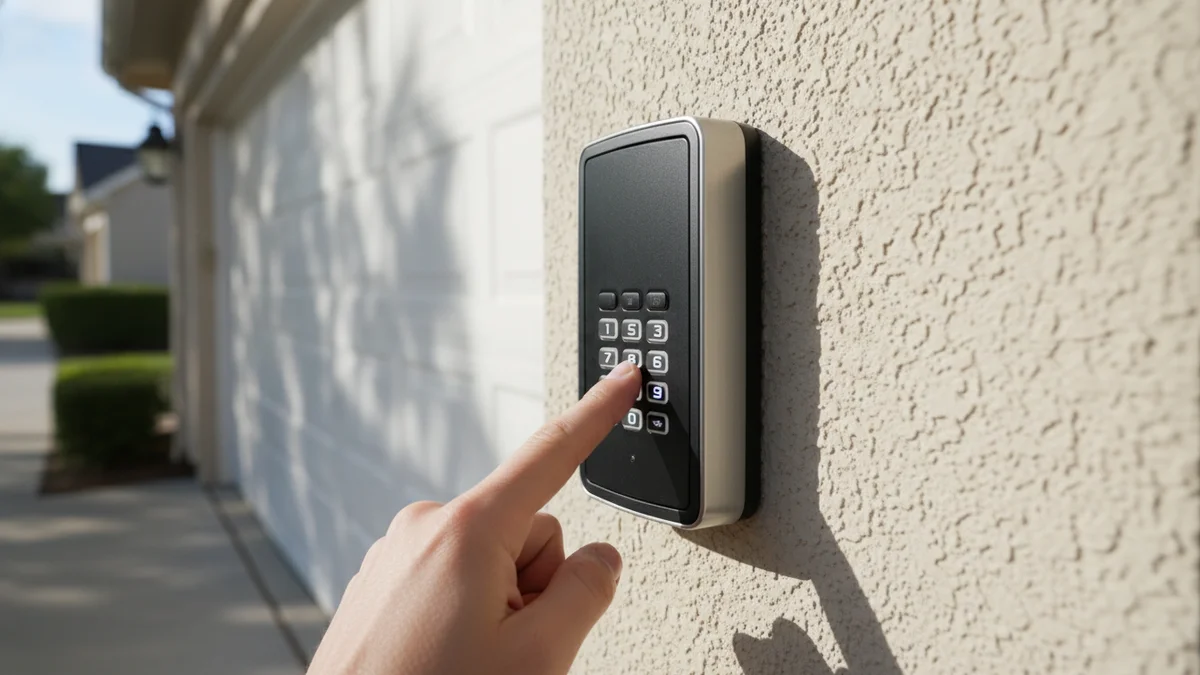
How Garage Door Keypads Work
Understanding how your keypad communicates with your garage door opener helps diagnose problems faster. Modern keypads use radio frequency (RF) technology to send encrypted signals to your opener when you enter the correct code.
When you press buttons on your keypad, the device generates a unique rolling code that changes with every use. This rolling code technology (called Security+ 2.0 on LiftMaster/Chamberlain or Intellicode on Genie) prevents code grabbing and ensures only authorized users can open your garage. The keypad sends this encrypted signal on a specific frequency, typically 310 MHz, 315 MHz, or 390 MHz depending on the brand and model.
Your garage door opener has a receiver that listens for these signals. When it receives a valid code, it verifies the sequence against its internal memory and activates the motor. This entire process happens in milliseconds when working properly. Problems occur when the battery is too weak to transmit a strong signal, when the keypad and opener fall out of sync, or when physical damage interrupts the internal circuitry.
Types of Garage Door Keypads
Knowing your keypad type helps you troubleshoot and find the right replacement:
Wireless Keypads (Most Common)
Wireless keypads mount outside your garage, typically beside the entry door or on a post. They run on batteries and communicate via radio frequency. These are the most convenient option but are susceptible to battery issues and weather damage. Popular models include LiftMaster 877MAX, Chamberlain 940EV, and Genie GPWC-WB.
Wired Keypads
Wired keypads connect directly to the opener through low-voltage wiring. They are more reliable since they do not depend on batteries, but installation is more complex. These are less common in residential settings but popular in commercial applications where reliability is critical.
Smart Keypads
The newest generation of keypads connect to Wi-Fi and integrate with smartphone apps. Models like the LiftMaster myQ Keypad allow you to monitor access, receive alerts, and create temporary codes remotely. These require both battery power and a stable Wi-Fi connection, adding another potential failure point to troubleshoot.
Universal vs Brand-Specific
Universal keypads like the Clicker work with multiple opener brands by programming to different frequencies. Brand-specific keypads are designed exclusively for one manufacturer but often offer better security features and integration. For example, LiftMaster Security+ 2.0 keypads only work with compatible LiftMaster/Chamberlain openers but offer superior encryption.
10 Fixes to Try
Work through these fixes in order - they're arranged from most common to least common causes. If you're also having remote issues, see our remote range troubleshooting guide:
Replace the Battery
This solves 60% of keypad problems. Most keypads use a 9V battery or 12V backup battery.
- Open the keypad cover (usually slides up or pops off)
- Remove old battery and note the type
- Install fresh battery with correct polarity (+/-)
- Wait 30 seconds, then test
Reprogram the Keypad
Keypads can lose sync with the opener after power outages or battery changes.
- Press the "Learn" button on your garage door opener
- Within 30 seconds, enter your 4-digit PIN on keypad
- Press Enter/Send button
- Opener lights should blink to confirm
Check for Worn Buttons
Heavily used buttons (like 1, 2, or Enter) wear out faster.
- Press each button and feel for proper "click"
- Listen for beeps when pressing numbers
- If some buttons don't respond, keypad needs replacement
Clean the Keypad
Dirt, debris, and corrosion can prevent buttons from making contact.
- Remove battery
- Use compressed air to blow out debris
- Clean button contacts with rubbing alcohol on cotton swab
- Let dry completely before reinstalling battery
Check Range/Signal
Wireless keypads have limited range, and obstructions can block signal.
- Standard range is 25-50 feet from opener
- Metal garage doors can weaken signal
- Try standing closer to opener while pressing buttons
- Replace antenna wire on opener if broken
Check for Lock Mode
Some openers have a "vacation" or "lock" mode that disables all remotes and keypads.
- Check wall button for lit "Lock" indicator
- Press and hold Lock button to disable
- Some models: hold wall button for 3 seconds
Clear All Remotes and Reprogram
A full reset clears all programmed devices. You'll need to reprogram all remotes after.
- Press and HOLD the Learn button until LED goes out (about 6 seconds)
- All remotes and keypads are now cleared
- Reprogram keypad with new PIN
- Reprogram all remotes
Check Weather Seal
Water damage from rain or snow destroys keypad electronics.
- Inspect rubber gasket around keypad
- Check for corrosion on battery contacts
- Water-damaged keypads usually need replacement
Verify Correct PIN
Simple but often overlooked - make sure you're using the right code.
- Try any temporary PINs that were created
- Ask family members if PIN was changed
- If forgotten, reprogram with new PIN (see Fix #2)
Check Opener Antenna
The opener has a wire antenna that receives keypad signals.
- Antenna should hang straight down from opener
- Should not be coiled or touching metal
- Replace if cut or damaged
How to Reprogram by Brand
Here are brand-specific reprogramming instructions:
| Brand | How to Reprogram Keypad |
|---|---|
| LiftMaster / Chamberlain | Press Learn button → Enter 4-digit PIN + Enter within 30 sec → Light blinks to confirm |
| Genie | Press Learn button (square) → Enter PIN + # within 30 sec → Light blinks twice |
| Craftsman | Same as LiftMaster (Craftsman uses LiftMaster openers) |
| Wayne Dalton | Press Program button → Enter old PIN + # → Enter new PIN + # + # |
| Linear | Press and hold # + * until LED blinks → Enter PIN + # |
The "Learn" button location varies by model. Common locations: on the back of the opener, on the side panel, or behind the light lens. It's usually a colored button (purple, yellow, orange, red, or green).
Error Codes and LED Indicators
Your keypad communicates problems through lights and sounds. Understanding these signals helps pinpoint the issue:
No Response (No Lights, No Beeps)
When pressing buttons produces nothing, the battery is completely dead or there is a total electrical failure. Replace the battery first. If still unresponsive, check for corrosion on battery contacts. Clean with rubbing alcohol and a cotton swab if you see green or white buildup.
Lights Flash But Door Does Not Move
The keypad is working but the signal is not reaching the opener or is not recognized. This typically means the keypad needs reprogramming or is out of range. Try moving closer to the opener while entering your code to rule out signal issues.
Keypad Beeps Rapidly
Rapid beeping usually indicates a wrong PIN entry. Many keypads lock out for 3 to 5 minutes after multiple incorrect attempts as a security feature. Wait and try again, making sure to enter the correct code.
Keypad LED Flashes Red
A flashing red LED typically indicates low battery. Some models flash red during normal operation and turn solid when the code is accepted. Check your keypad manual for model-specific meanings.
Opener Clicks But Door Does Not Move
If you hear the opener click or see the light flash but the door stays closed, the keypad is working correctly. The problem lies with the opener, springs, or safety sensors rather than the keypad.
Toronto Climate Considerations
Toronto's extreme weather creates unique challenges for outdoor garage door keypads. Temperature swings from minus 25 degrees Celsius in winter to plus 35 degrees in summer stress electronic components and batteries.
Winter Cold Effects
Cold temperatures dramatically reduce battery capacity. A battery that works fine at room temperature may fail to power your keypad when temperatures drop below minus 10 degrees Celsius. Alkaline batteries lose 50 percent or more of their capacity in extreme cold. Consider using lithium batteries which perform better in freezing conditions.
Moisture from snow and freezing rain can seep into keypad housings, especially if the rubber gasket has degraded. Once inside, this moisture can freeze and thaw repeatedly, damaging circuit boards and button membranes. We see a significant increase in keypad failures during Toronto winters.
Summer Heat and Humidity
Direct sunlight heats keypads mounted on south or west facing walls. Internal temperatures can exceed 60 degrees Celsius on hot summer days, shortening battery life and degrading plastic housings. Consider mounting keypads in shaded locations when possible.
High humidity accelerates corrosion on battery contacts and internal components. Toronto's humid summers combined with temperature fluctuations cause condensation inside keypads, leading to intermittent failures that are difficult to diagnose.
Weather Protection Tips
- Install a keypad cover to protect from rain and snow
- Apply silicone lubricant around button edges to repel moisture
- Replace batteries before winter when they are fresh and strong
- Consider an indoor location with a keypad extension cable
Keypad Security Features
Modern keypads include sophisticated security features to protect your home. Understanding these features helps you use your keypad safely and troubleshoot lockouts.
Rolling Code Technology
Every time you use your keypad, it sends a different encrypted code. Even if someone records the transmission, they cannot replay it to open your garage. The keypad and opener stay synchronized by predicting the next code in the sequence. Power outages or battery changes can disrupt this synchronization, requiring reprogramming.
Temporary Access Codes
Many keypads allow you to create temporary PINs for guests, contractors, or delivery drivers. These codes can expire after a set time or number of uses. If someone cannot open your garage with a temporary code, verify it has not expired and was entered correctly.
Lockout Protection
To prevent PIN guessing, keypads lock after 3 to 5 wrong entries. The lockout typically lasts 3 to 5 minutes. If your keypad seems completely unresponsive, wait 5 minutes and try again in case it is in lockout mode.
Vacation Lock
The vacation lock feature disables all remotes and keypads, allowing only the wall button to operate the door. If your keypad suddenly stops working, check if someone activated vacation lock. Look for a lock button on the wall control or inside the opener unit.
When to Replace the Keypad
Replace your keypad if:
- Multiple buttons don't work (even after cleaning)
- Visible water damage or corrosion
- Cracked housing that lets moisture in
- Display is faded or unreadable
- Keypad is over 10-15 years old
Replacement cost: $30-$80 for a universal keypad, or $50-$120 for brand-specific. Installation is DIY-friendly.
Compatibility Note
When buying a replacement keypad, note your opener brand and year. LiftMaster/Chamberlain keypads work interchangeably. Universal keypads (like Clicker) work with most brands.
Professional Keypad Services
| Service | Price Range (+ tax) | Includes |
|---|---|---|
| Keypad Programming | $50 - $75 | Reset, reprogram, test all codes |
| New Keypad Installation | $80 - $150 | Keypad, mounting, programming |
| Wiring Repair | $75 - $150 | Diagnosis, wire repair, testing |
| Complete Opener Upgrade | $680+ | Opener + remotes + keypad installed |
Still Not Working?
We diagnose and fix keypad issues same-day. FREE service call with any repair.
Call 437-265-9995Frequently Asked Questions
Most common causes: dead battery (replace with 9V or 12V), keypad needs reprogramming (lost sync with opener), worn buttons, or weather damage. Start by replacing the battery - this fixes 60% of keypad problems.
Press the 'Learn' button on your opener, then enter a new 4-digit PIN followed by Enter within 30 seconds. The opener light will blink to confirm. Process varies slightly by brand.
Press and release the Learn button on the opener. Within 30 seconds, enter your desired 4-digit PIN on the keypad, then press Enter. The opener lights will blink to confirm. Test by entering your PIN and pressing Enter.
Most keypads use a 9V battery. Some newer models use a 12V battery or CR2032 coin cell. Check inside your keypad or owner's manual for the correct type.
Replace keypad batteries every 1-2 years, or when the keypad becomes sluggish or unresponsive. Using name-brand alkaline batteries extends life compared to cheap batteries.
Cold temperatures reduce battery capacity by 50% or more. A battery that works at room temperature may fail below minus 10 degrees Celsius. Try lithium batteries which perform better in cold weather, or replace batteries before winter.
Yes, universal keypads like the Clicker work with most major brands including LiftMaster, Chamberlain, Genie, Craftsman, and Linear. Check compatibility with your opener's frequency (310 MHz, 315 MHz, or 390 MHz) before purchasing.
This is a security feature to prevent PIN guessing. After 3-5 wrong entries, the keypad locks for 3-5 minutes. Wait and try again with the correct code. If you have forgotten your PIN, you will need to reprogram with a new code.