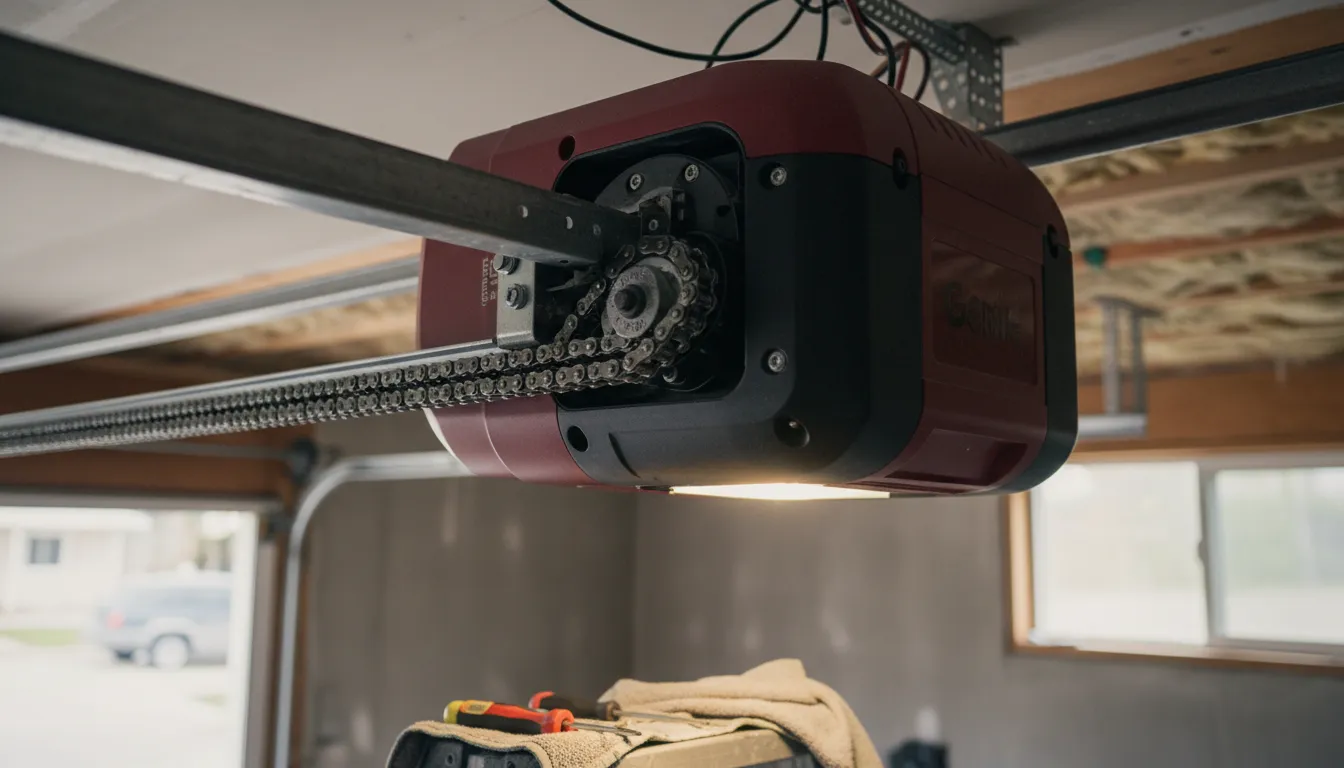
Genie Error Codes: LED Blink Patterns
Genie openers communicate problems through LED blink patterns. Count the blinks to identify your issue:
| Blinks | Problem | Solution |
|---|---|---|
| 1 | Sensor wire disconnected or broken | Check wire connections at sensors and opener |
| 2 | Sensor wire shorted | Inspect wires for damage, staples piercing wire |
| 3 | Door control button wire issue | Check wall button wiring connections |
| 4 | Sensors misaligned or obstructed | Clean lenses, realign sensors until LEDs are solid |
| 5 | Motor thermal protection activated | Wait 15-30 minutes for motor to cool down |
| Continuous | Safe-T-Beam misalignment | Adjust sensors until both LEDs glow steady |
Common Problems & Solutions
Genie Opener Won't Close the Door
Symptoms:
- Door opens but won't close
- Light blinks when trying to close
- Door reverses immediately after starting to close
- Wall button works but remote doesn't close door
Step-by-Step Solution:
⚡ Quick Fix
Hold wall button continuously while door closes. If it closes this way, the issue is definitely sensor-related. Use this as a temporary workaround while troubleshooting. For more troubleshooting tips, see our complete won't close guide.
Genie Remote Control Not Working
Symptoms:
- Pressing remote does nothing
- Remote works intermittently
- Must be very close to work
- Wall button works fine
Step-by-Step Solution:
Motor Runs But Door Doesn't Move
Symptoms:
- Hear motor running, door stays still
- Grinding or clicking sounds
- Carriage moves but door doesn't
- Door is disconnected from opener
Step-by-Step Solution:
⚠️ Safety Warning
If the door is partially open and won't move, do NOT try to force it. The springs may be broken, making the door extremely heavy. Book a professional or call 437-265-9995 for Toronto garage door repair.
Door Opens By Itself (Phantom Operation)
Symptoms:
- Door opens randomly without button press
- Opens at specific times
- Opens when neighbors use their remotes
- Opens during electrical storms
Step-by-Step Solution:
How to Reset Your Genie Opener
A reset can resolve many electronic glitches. Here are the reset methods for different situations:
🔄 Genie Reset Procedures
Soft Reset (Clears Errors)
- Unplug the opener from power
- Wait 30 seconds
- Plug back in
- Test operation
Program Reset (Clears Remotes)
- Locate the Program/Learn button on opener
- Press and hold for 10+ seconds
- LED will turn off, confirming reset
- Reprogram all remotes and keypads
Factory Reset (Aladdin Connect)
- Open the Aladdin Connect app
- Go to Settings > Device Settings
- Select "Factory Reset"
- Re-setup opener from scratch
Model-Specific Issues
Different Genie models have unique quirks. Here are common issues by series:
ChainMax / Chain Glide
- Chain stretch over time
- Noisy operation common
- Sprocket wear at 10-15 years
- Limit switches need adjustment
SilentMax / Belt Drive
- Belt can crack in cold
- Quieter but belt costs more
- Motor board failures at 8-12 years
- Excellent cold weather performance
Aladdin Connect (WiFi)
- WiFi connectivity drops
- App updates can cause issues
- Firmware updates important
- Check router compatibility
When to Call a Professional
Some Genie problems require professional service. Call a technician if:
- Stripped gears - Requires opening motor housing and replacing parts
- Circuit board failure - Diagnosis and replacement needed ($150-$250)
- Motor replacement - May be more cost-effective to replace entire opener
- Door balance issues - Unbalanced doors destroy openers quickly
- Track or spring problems - These affect opener performance but are separate issues
- Repeated failures - Underlying issue needs proper diagnosis
In Toronto, Genie opener repair typically costs $100-$250 for common issues. Complete opener replacement starts at $480 for chain-drive or $680 for belt-drive models including installation.
Frequently Asked Questions
Blinking lights on a Genie opener usually indicate a safety sensor issue. Check that the LED lights on both sensors are solid (green on receiving sensor, amber on sending sensor). Clean the sensor lenses, ensure proper alignment, and check for obstructions. If lights blink 4 times, the sensors are misaligned or obstructed.
To reset a Genie opener: 1) Unplug the unit for 30 seconds, then plug back in. 2) For a full reset, press and hold the Program button until the LED blinks, then release. 3) On newer Aladdin Connect models, use the app to factory reset. Note: Full reset erases all programmed remotes.
Common causes: dead battery (most common), remote needs reprogramming, remote is out of range, or opener's receiver is faulty. Replace the battery first. If that doesn't work, reprogram the remote by pressing the Learn button on the opener, then pressing the remote button within 30 seconds.
Genie uses LED blink patterns: 1 blink = sensor wire issue, 2 blinks = sensor wire short, 3 blinks = door control wire issue, 4 blinks = sensor misalignment, 5 blinks = motor thermal overload. On Aladdin Connect models, error codes appear in the app with specific descriptions.
A humming motor that doesn't move the door usually indicates stripped gears, a broken trolley carriage, or a disconnected emergency release. First, check if the emergency cord was pulled (re-engage by pulling the cord toward the door). If gears are stripped, professional repair costs $150-$250.
Genie Opener Still Not Working?
Our technicians are Genie-certified and carry common replacement parts. Same-day service available in Toronto & GTA.
📞 437-265-9995