When to Reset Your Opener
You should reset your garage door opener when:
- Moving into a new home - Clear previous owner's remotes for security
- Lost a remote - Prevent unauthorized access
- Too many remotes programmed - Start fresh
- Opener acting erratically - Clears software glitches
- Changing security code - After a break-in or security concern
- Selling your home - Remove your access before new owners move in
- Giving someone temporary access - Clear old codes periodically
Security is the most common reason homeowners reset their openers. The Canadian Home Builders' Association recommends resetting your garage door opener codes at least once per year as part of routine home security maintenance. In the GTA, garage break-ins often occur through cloned remotes or old codes that were never cleared.
Understanding Opener Security Types
Before resetting, it helps to understand what type of security system your opener uses. This determines how the reset process works and how secure your garage will be after reprogramming.
Rolling Code (Security+ / Security+ 2.0)
Most modern openers made after 1996 use rolling code technology. Each time you press your remote, both the opener and remote generate a new encrypted code. This prevents code grabbing - a technique thieves once used to capture and replay your signal. LiftMaster, Chamberlain, and Craftsman openers with purple or yellow Learn buttons use rolling code technology.
Fixed Code (DIP Switch)
Older openers (pre-1996) use fixed codes set by DIP switches inside the remote and opener. These have limited combinations (typically 256 to 4,096 codes) and are vulnerable to scanning attacks. If your opener has DIP switches, consider upgrading to a modern rolling code system for better security.
Wi-Fi Connected Openers
Newer smart openers from LiftMaster (myQ), Chamberlain (myQ), and Genie (Aladdin Connect) add smartphone control via Wi-Fi. Resetting these openers clears paired remotes but typically preserves your Wi-Fi and app settings. However, you may need to re-authorize users in the app separately.
Finding the Learn Button
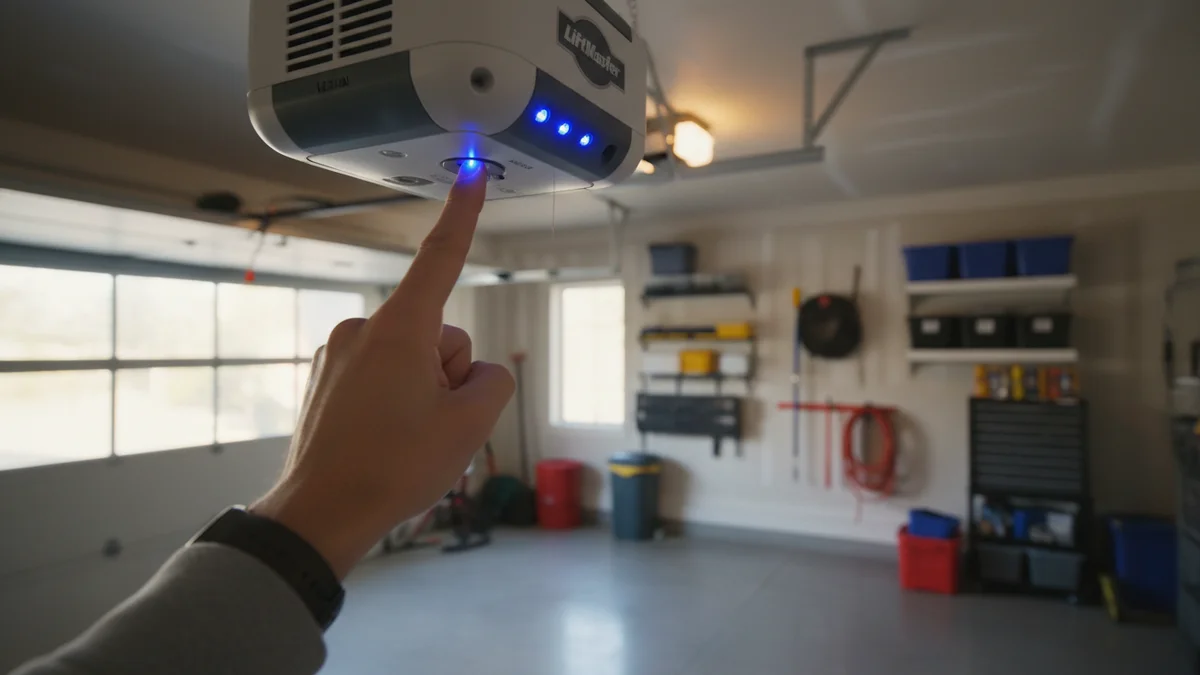
The Learn button (also called Smart or Program button) is located on your opener's motor unit - the box hanging from your garage ceiling. You'll need a sturdy ladder to access it safely. Never stand on chairs or unstable surfaces when working with your opener.
| Brand | Button Color | Location |
|---|---|---|
| LiftMaster/Chamberlain | Yellow, Purple, Red, or Orange | Back panel or near light lens |
| Genie | Round button | Near the antenna wire |
| Craftsman | Purple or Yellow | Back or side panel |
| Wayne Dalton | Blue | Back panel |
| Linear | Black or Gray | Inside light cover |
How to Factory Reset (Erase All Remotes)
1 Locate the Learn Button
Find the colored Learn/Smart button on your opener unit. You'll likely need a ladder to reach it.
2 Press and Hold
Press and hold the Learn button for 6-10 seconds. The LED light next to the button will turn off, indicating the memory is cleared.
3 Verify Reset
Test your old remotes - they should no longer work. All previously programmed remotes, keypads, and car HomeLink buttons are now erased.
Important
Factory reset erases ALL programmed devices. Make sure you have access to all remotes, keypads, and vehicles that need reprogramming before resetting.
Reprogramming Remotes After Reset
1 Press Learn Button Briefly
Press the Learn button once quickly (don't hold). The LED will light up, indicating programming mode is active for 30 seconds.
2 Press Remote Button
Within 30 seconds, press and hold the button on your remote that you want to program. Hold until the garage door lights flash or you hear two clicks.
3 Test and Repeat
Test the remote. Repeat for each additional remote, keypad, or vehicle HomeLink system.
Brand-Specific Instructions
LiftMaster / Chamberlain
- Yellow button: Security+ (rolling code)
- Purple button: Security+ 2.0 (most common)
- Orange button: Standard/DIP switch
- Red button: Security+ (older models)
Hold Learn button 6 seconds to erase. Press briefly to program.
Genie
- Press and hold Program button until LED blinks twice
- Press remote button within 30 seconds
- LED will blink once to confirm
Craftsman
- Same as LiftMaster (often made by Chamberlain)
- Hold Learn button 10 seconds to erase all
Wayne Dalton
- Blue Learn button on back panel
- Hold for 5 seconds until LED flashes
- Some models require pressing a sequence of buttons
- Check for "Torquemaster" systems - these may require different procedures
Linear / GTO / Mighty Mule
- Program button usually inside light cover
- Hold 10 seconds to clear memory
- Single press to enter programming mode
Programming HomeLink (Car Built-In)
After resetting your opener, you'll need to reprogram any vehicle HomeLink systems. This is the garage door button built into your car's visor or mirror.
For Rolling Code Openers (Most Common)
1 Clear HomeLink Memory
Hold the two outer HomeLink buttons until the LED flashes rapidly (about 20 seconds). This clears old programming.
2 Train HomeLink
Hold your handheld remote 1-3 inches from the HomeLink button. Press and hold both the remote button and HomeLink button. The HomeLink LED will change from slow to rapid flashing.
3 Activate Rolling Code
Go to your opener unit and press the Learn button. Within 30 seconds, return to your car and press the HomeLink button 3 times (holding each press for 2 seconds). The opener should activate.
Troubleshooting Reset Problems
Sometimes the reset process doesn't work as expected. Here are common issues and solutions:
Learn Button Doesn't Respond
- Power issue: Check that the opener is plugged in and receiving power
- Wrong button: Make sure you're pressing the Learn button, not the light or lock button
- Button failure: The button itself may be worn out - rare but possible on older units
- Control board problem: The circuit board may need replacement if buttons don't respond
Remote Won't Program After Reset
- Timing: You have only 30 seconds after pressing Learn - work quickly
- Distance: Stand within 6 feet of the opener while programming
- Battery: Replace the remote battery even if it seems fine
- Compatibility: Ensure your remote is compatible with your opener's frequency
Opener Doesn't Clear Old Remotes
- Hold longer: Some models require holding Learn button 15+ seconds
- Multiple presses: Try pressing and holding twice in succession
- Full power cycle: Unplug opener for 30 seconds, then try reset again
Safety Precautions
Before resetting your garage door opener, follow these safety guidelines:
- Use a stable ladder: Never use chairs, boxes, or unstable surfaces to reach the opener
- Clear the area: Make sure no vehicles, people, or objects are under the door
- Don't disconnect safety features: Photo-eye sensors should remain connected during reset
- Keep manual available: Have your opener's manual handy for troubleshooting
- Know the emergency release: Locate the red emergency release handle in case you need to manually operate the door
When to Call a Professional
If your opener makes grinding noises, the door moves unevenly, or the reset button doesn't respond after multiple attempts, contact a professional technician. These symptoms may indicate motor, gear, or circuit board problems beyond a simple reset.
Maintaining Your Opener After Reset
Once you've successfully reset and reprogrammed your opener, follow these maintenance tips. Considering an upgrade? Check out our smart garage door opener guide:
- Test monthly: Press each remote and keypad monthly to ensure they still work
- Check batteries: Replace remote batteries annually, even if they still work
- Test safety sensors: Wave an object through the photo-eyes while closing - the door should reverse
- Lubricate annually: Apply garage door lubricant to rails and moving parts
- Reset codes annually: For security, reset all access codes once per year
- Keep records: Document which remotes are programmed and who has them
Professional Opener Service Pricing
If reset doesn't solve the problem, here's what professional repairs cost:
| Service | Price Range (+ tax) | Includes |
|---|---|---|
| Remote/Keypad Programming | $75 - $120 | Programming multiple devices, testing |
| Sensor Repair | $120 - $180 | Alignment, wiring, replacement if needed |
| Logic Board Replacement | $175 - $300 | Circuit board, reprogramming, testing |
| New Opener Installation | $680+ | LiftMaster belt-drive, installation, warranty |
Need Professional Help?
Can't get your opener to reset? We can diagnose and fix the problem.
Call 437-265-9995Frequently Asked Questions
Find the Learn/Smart button on your opener unit. Press and hold it for 6-10 seconds until the LED turns off. This clears all programmed remotes. Then reprogram each remote by pressing Learn briefly, then pressing the remote button within 30 seconds.
The reset button (Learn or Smart button) is on the back or side of the motor unit on the ceiling. On LiftMaster/Chamberlain it's a colored square button. On Genie it's near the antenna. You may need a ladder to access it.
Yes, a factory reset erases all programmed remotes, keypads, and HomeLink connections. You'll need to reprogram each device after resetting. Settings like force and travel limits are not affected.
Most openers support 4-8 remotes plus keypads and HomeLink connections. LiftMaster/Chamberlain typically allow 8+ devices. Check your manual for your specific model's limit.
Common reasons include: not holding the Learn button long enough (try 10-15 seconds), pressing the wrong button, power issues with the opener, or a faulty control board. Try unplugging the opener for 30 seconds, then attempt the reset again.
After resetting the opener, program a new keypad code: Press the Learn button, then enter your desired 4-digit code on the keypad followed by the Enter button within 30 seconds. The opener lights will flash to confirm.
No, a factory reset only clears programmed remotes and keypads. Your door's open/close travel limits and force settings remain unchanged. These are adjusted separately using the adjustment screws on the opener unit.
Universal remotes like Clicker require two steps: first, set the frequency to match your opener (check the remote instructions), then program it by pressing Learn on the opener and pressing the remote button within 30 seconds.