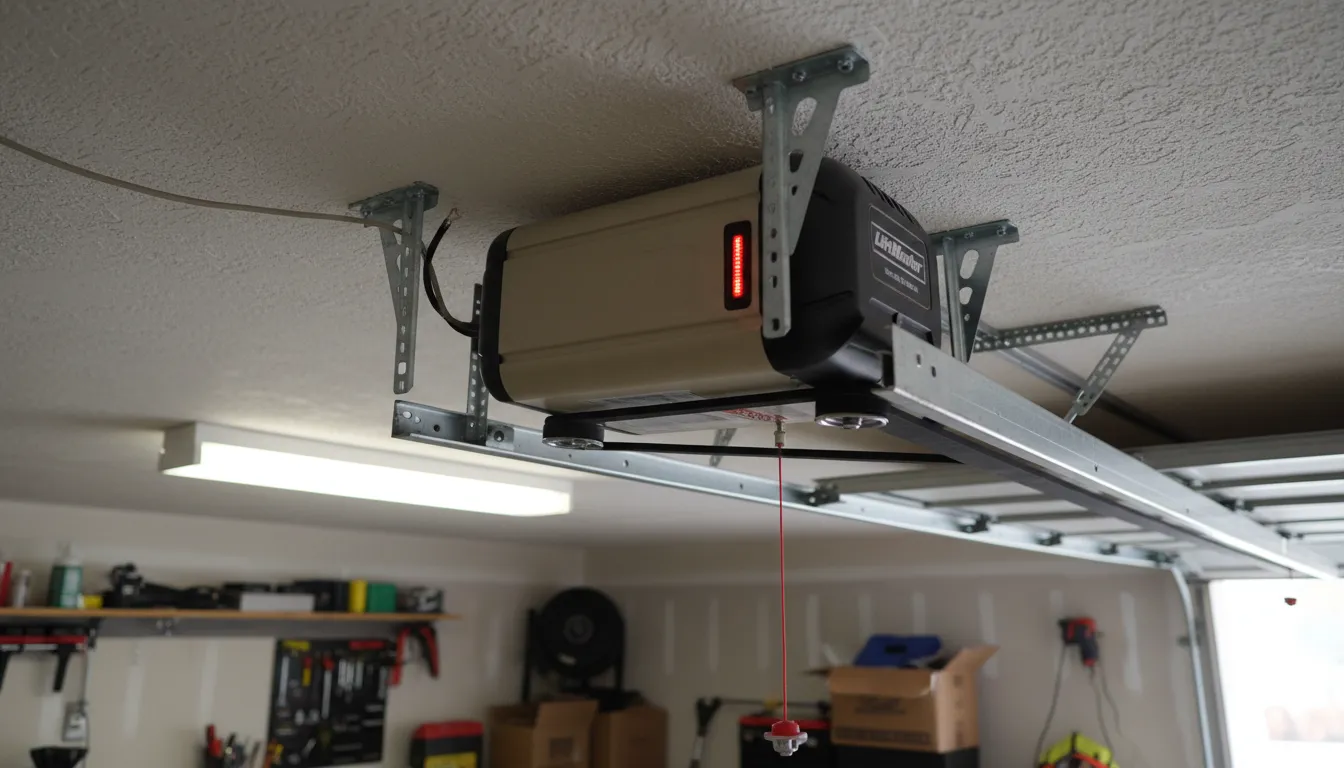
LiftMaster LED Error Codes Explained
LiftMaster openers communicate problems through LED blink patterns on the main unit and wall control. Count the number of blinks after a failed close attempt to diagnose the issue. For troubleshooting that applies to all brands, see our complete won't close guide. Have a Chamberlain? See our Chamberlain troubleshooting guide.
| Blinks | Problem | Solution |
|---|---|---|
| 1 | Sensor wire disconnected | Check white/white-black wire connections at opener and sensors |
| 2 | Sensor wire short circuit | Inspect wires for damage or staples piercing insulation |
| 3 | Door control wire short | Check wall button wiring for damage |
| 4 | Sensor eyes misaligned | Adjust sensors until green LED is solid (not blinking) |
| 5 | Motor thermal protection | Wait 15-30 minutes for motor to cool down |
| 6 | Motor circuit failure | Logic board replacement required ($150-$250) |
| 10 | Door travel limits exceeded | Reset up/down limits on the opener |
Common Issues by LiftMaster Model
Different LiftMaster series have model-specific quirks. Here are the most common problems by series:
8500 Series Wall-Mount
- Side-mount belt tension needs adjustment
- Power head LED diagnostic differs from ceiling-mount
- MyQ WiFi module conflicts with 5GHz networks
- Requires specific 485LM sensor compatibility
8550W Series Belt Drive
- Built-in WiFi can lose connection during operation
- Battery backup may override close commands
- Timer-to-close feature can interfere with manual control
- HomeLink programming failures common
84501/84602 Chain Drive
- Chain tension affects sensor accuracy
- Limit switch calibration drifts over time
- Worm gear wear causes incomplete closing
- Standard sensors included (no upgrade needed)
87504 Series Secure View
- Built-in camera requires separate troubleshooting
- Two-way audio can delay close commands
- LED lighting conflicts with sensor detection
- App-only features may not respond via wall button
8 Solutions to Fix Your LiftMaster
1 Align Safety Sensors Easy
The #1 reason LiftMaster doors won't close is misaligned safety sensors. Look at both sensors mounted 6 inches from the floor:
- Sending sensor (amber LED): Should be solid
- Receiving sensor (green LED): Must be solid—blinking means misalignment
- Loosen the wing nut on the receiving sensor
- Slowly adjust angle until green LED becomes solid
- Tighten wing nut while holding position
- Test by pressing wall button (don't stand in door path)
2 Disable Lock Mode Easy
LiftMaster wall controls have a lock feature that disables remote operation. If the lock icon is lit on your wall panel, the door won't respond to remotes or MyQ app:
- Locate the lock button on your wall control (padlock icon)
- Press and hold for 2 seconds until light turns off
- Test remote operation
3 Use Wall Button Override Easy
As a temporary bypass, you can override the safety sensors using the wall button:
- Press and hold the wall button continuously
- Door will close while button is held
- Release button only after door is fully closed
4 Clean Sensor Lenses Easy
Dirt, cobwebs, or condensation on sensor lenses can break the infrared beam. Clean both sensor eyes with a soft dry cloth. In winter, moisture buildup is common in Toronto garages—consider using a garage heater or dehumidifier.
5 Check Sensor Wiring Medium
Sensor wires run from each sensor to the opener's motor unit. Look for:
- Staples that have pierced the wire insulation
- Frayed or chewed wires (rodent damage)
- Loose connections at terminal blocks
- Corroded wire ends
- Disconnect opener from power
- Remove terminal block cover on opener
- Check white and white/black wire connections
- Ensure bare copper contacts are clean and secure
6 Reset the Opener Medium
A full reset can clear software glitches in LiftMaster's logic board:
LiftMaster Reset Procedure
Full Factory Reset: Press and hold the Learn button for 6 seconds until LED turns off. Warning: This erases all programmed remotes and keypads.
7 Adjust Travel Limits Medium
If your LiftMaster reverses before fully closing, the down travel limit may need adjustment:
- Locate the adjustment screws on the opener (labeled UP and DOWN)
- Turn the DOWN screw clockwise in small increments (¼ turn)
- Test the door after each adjustment
- Stop when door closes fully without reversing
Note: Newer models with yellow Learn buttons use the opener's panel buttons for limit programming instead of screws.
8 Replace Logic Board Pro Repair
If the LED shows 6 blinks or the opener won't respond to any input, the logic board (circuit board) may have failed. This is the "brain" of the opener that controls all functions.
Symptoms of failed logic board:
- No LED lights at all (with power confirmed)
- 6 blinks on error code
- Erratic behavior (opens/closes randomly)
- Won't accept programming
Toronto repair cost: $150-$250 for logic board replacement. Often makes more sense to replace entire opener if unit is 10+ years old.
MyQ App Won't Close Door
LiftMaster's MyQ smart features have their own set of issues separate from the opener itself:
MyQ-Specific Troubleshooting
Pro tip: If MyQ won't close but wall button works perfectly, the issue is WiFi/app related, not the opener itself. Focus troubleshooting on your network setup.
LiftMaster Repair Costs in Toronto
Here's what you can expect to pay for professional LiftMaster repairs in Toronto and the GTA:
| Repair Type | DIY Cost | Pro Cost (Parts + Labor) |
|---|---|---|
| Sensor alignment | $0 | $80-$120 |
| Sensor replacement (pair) | $35-$50 | $120-$180 |
| Logic board replacement | $80-$120 | $150-$250 |
| Motor replacement | $150-$200 | $280-$400 |
| Complete opener replacement | N/A | $680+ |
When to replace vs repair: If your LiftMaster is over 10 years old and needs logic board or motor work, consider full replacement. New openers include warranty, smart features, and improved safety systems.
Frequently Asked Questions
Michael Thompson
IDEA Certified Garage Door Technician with 15+ years experience specializing in LiftMaster openers. Serving Toronto & GTA since 2009.