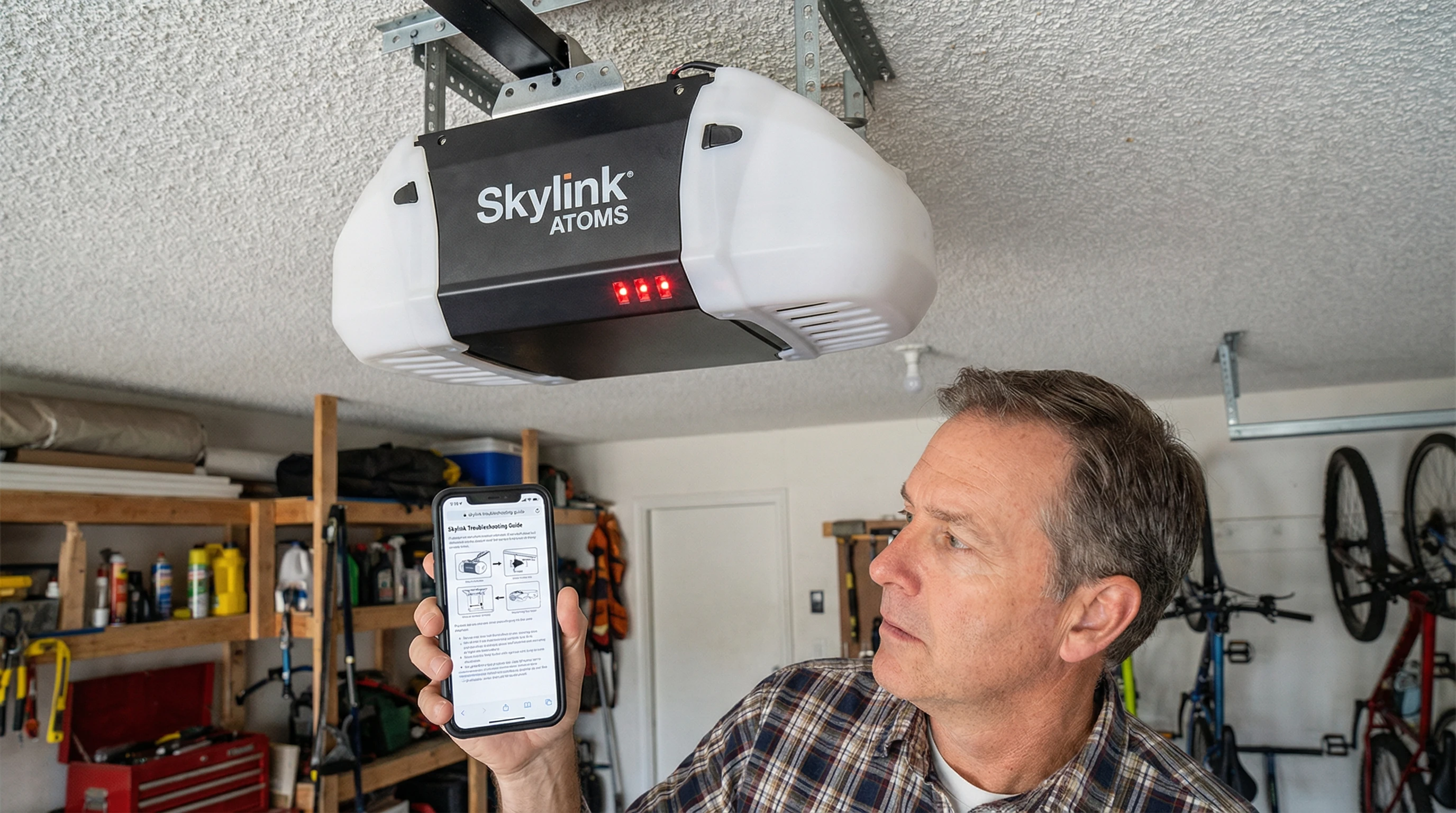
The most common Skylink opener problems are remote programming failures (replace battery, re-learn remote), safety sensor issues (clean and realign sensor lenses), and limit switch problems (door won't fully open or close). Most issues can be resolved by power-cycling the unit and following the model-specific programming sequence. If the motor unit fails, replacement with a LiftMaster opener is often more cost-effective than sourcing Skylink-specific parts locally in Toronto.
About Skylink Garage Door Openers
Skylink Technologies manufactures budget-priced garage door openers sold through Canadian Tire, Home Hardware, and some Home Depot stores across Canada. Their most popular residential line is the Skylink Atoms series. Skylink openers are designed for light residential use and DIY installation. They use their own proprietary radio frequency system, which means they are generally not compatible with LiftMaster, Chamberlain, or Genie remotes.
Skylink openers are common in Toronto homes because Canadian Tire carries them at attractive price points — often $150-$250 for a basic model. While they work adequately for light use, they generate a disproportionate number of service calls due to remote sync issues, sensor sensitivity problems, and limit switch drift. This guide covers every major Skylink problem and how to fix it.
Who Makes Skylink Garage Door Openers?
Skylink Technologies is a Canadian/North American brand that manufactures entry-level garage door openers, accessories, and wireless home security products. Unlike LiftMaster (owned by Chamberlain Group) or Genie (owned by Overhead Door Corporation), Skylink is a smaller independent brand without a professional dealer network.
This has practical implications for Toronto homeowners: Skylink openers are not installed by professional garage door companies (who typically install LiftMaster or Genie), repair parts are harder to find locally, and service calls from professional technicians may result in a recommendation to replace with a better-supported brand.
Common Skylink Models Sold in Canada
- Skylink Atoms AT-1000P: 1/2 HP chain drive with 1-button remote
- Skylink Atoms AT-1000B: Belt drive version, quieter operation
- Skylink G6 series: Older rolling code models, still common in Toronto homes
- Skylink 5-in-1 Receiver: Allows adding Skylink remotes to existing non-Skylink openers
Common Skylink Opener Problems and Solutions
These are the issues we see most frequently on Skylink-brand openers in Toronto and the GTA.
Problem 1: Door Won't Open or Close
Step 1: Check that the unit is plugged in and the outlet has power. Test the outlet with another device.
Step 2: Check if the door was manually disconnected (red emergency cord pulled). If so, re-engage the trolley carriage.
Step 3: Look at the safety sensor LEDs. On most Skylink models, both sensors should be solid (one green, one amber/orange). If either is blinking or off, realign the sensors.
Step 4: Check limit settings — if the door isn't reaching its full open or close position, adjust the travel limits per the model manual.
Problem 2: Remote Won't Work
This is the most common complaint with Skylink openers. Before assuming the remote is broken:
- Replace the remote battery (most Skylink remotes use CR2032 or 12V batteries)
- Test from close range (within 3 feet of the motor unit) — a weak signal may only work short-range
- Check if the opener responds to the wall button. If yes, the remote is the problem. If no, the unit itself is the issue.
- Make sure you're not in "lock mode" — many Skylink models have a wall button lockout feature that disables remotes
Problem 3: Safety Sensors Blinking
The safety sensors must be perfectly aligned for the door to close. On Skylink openers, a blinking LED on either sensor indicates misalignment or obstruction.
- Clean both sensor lenses with a soft, dry cloth — dust and spiderwebs are common blockers
- Loosen the sensor mounting bracket and physically point the sensor toward the opposite unit until the LED becomes solid
- Check for direct sunlight hitting the receiving sensor — Skylink sensors are more susceptible to sunlight interference than premium brands
- Inspect the wiring from sensor to motor unit for damage, pinching, or loose connections
Problem 4: Door Reverses Before Closing Completely
This usually indicates one of three issues: (a) safety sensors are triggering, (b) the close force is set too low, or (c) the down limit is set incorrectly. Adjust the close force incrementally (usually a small screw or dial on the motor unit) and verify the limit switch positions. On Skylink models, over-adjusting force settings can cause safety issues — never set force so high that the door won't reverse when obstructed.
Problem 5: Door Moves Slowly or Motor Strains
This indicates the door is out of balance. Disconnect the opener and try lifting the door manually — it should float in the half-open position. If it falls or rises, the torsion springs need adjustment. A Skylink opener cannot compensate for an unbalanced door and will wear out the motor attempting to do so. Call a garage door technician to balance the door first.
Skylink Remote Programming and Sync Issues
Programming Skylink remotes is model-specific. The general process for most Skylink Atoms models is:
- Install a fresh battery in the remote
- Press and release the LEARN button on the motor unit — the LED will light up
- Within 30 seconds, press the button on your remote that you want to program
- The motor unit LED will flash or click to confirm programming
- Test the remote — it should now operate the door
Skylink Error Light Codes Explained
| LED Status | Meaning | Solution |
|---|---|---|
| Both sensors solid (green + amber) | Normal — sensors aligned | No action needed |
| Sending sensor blinking (amber) | Misalignment or obstruction | Realign sensors, clear path |
| Receiving sensor blinking (green) | Sunlight interference or misalignment | Shade sensor, realign |
| One sensor off completely | Power or wiring issue | Check wiring connections at sensor and motor unit |
| Motor unit LED flashing continuously | Safety sensor fault preventing close | Fix sensor issue first |
| No LED on motor unit | No power to unit | Check outlet, plug, and breaker |
Repairing vs Replacing a Skylink Opener
When a Skylink opener has a major failure (motor burnout, logic board failure), the repair vs replace question becomes straightforward in the GTA market.
When to Repair
- The unit is less than 5 years old
- The problem is a remote, sensor, or limit adjustment — no parts needed
- A replacement battery or remote fixes the problem (cost: $5-$30)
When to Replace
- Motor or logic board has failed (parts may be unavailable locally)
- The unit is over 7-10 years old with repeated problems
- You have a heavy or insulated door — Skylink openers are undersized for this
- You want professional installation and warranty support going forward
Replacement with a LiftMaster belt-drive opener from Royal Garage Doors starts at $680 + tax, includes professional installation, programming, and a 1-year warranty on all work. This is often only slightly more than the cost of a service call plus Skylink replacement parts — and gives you a significantly better product.
Skylink Giving You Trouble?
We diagnose and repair all opener brands in Toronto and GTA — or upgrade you to a LiftMaster with professional installation and full warranty.
Call 437-265-9995