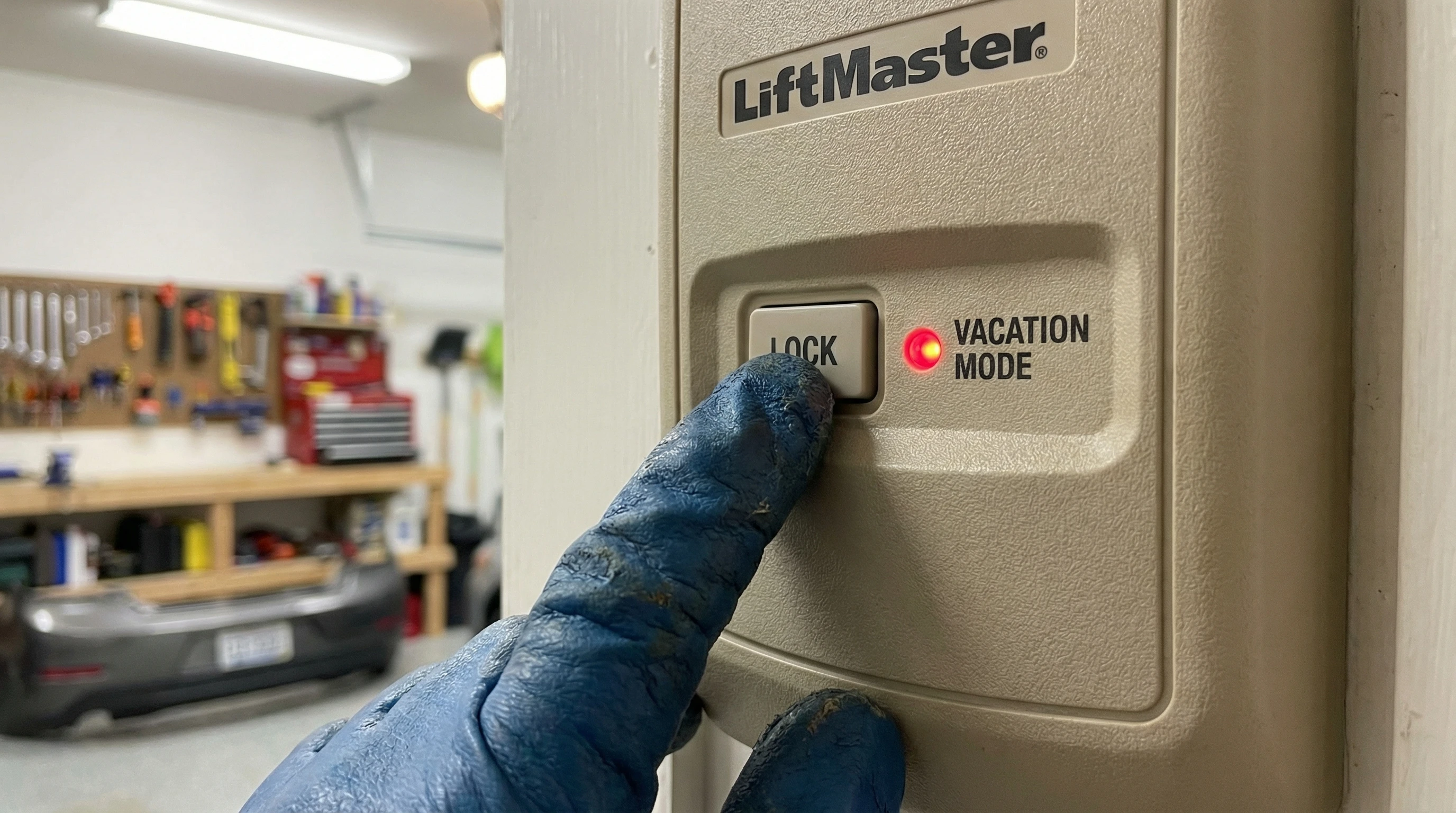
Vacation lock mode disables all garage door remotes and external keypads, allowing the door to only be opened from the wall button inside your garage. Available on most LiftMaster, Chamberlain, and Genie openers. Activate it via the wall button before any trip - it is one of the easiest security upgrades available at zero cost.
Most homeowners have never heard of vacation lock mode, yet it is built into virtually every garage door opener made in the last 10 years. Understanding and using this feature is one of the simplest things you can do to improve garage security when travelling.
How Vacation Lock Mode Works
Modern garage door openers communicate with remotes using rolling-code technology - each press generates a unique code that the opener validates. Vacation lock mode instructs the opener to reject all remote signals during the lock period, even valid rolling codes from your own programmed remotes. Only the hard-wired wall button signal is accepted.
How to Enable Lock Mode by Brand
LiftMaster / Chamberlain
On models with the 880LM or 882LMW wall button:
- Press and hold the LOCK button (padlock icon) on the wall control
- Hold for 2-3 seconds until the opener light blinks twice
- The lock indicator light on the wall button illuminates (amber)
- All remotes and keypads are now disabled
- To deactivate: press and hold LOCK again until light blinks and turns off
Via myQ App (LiftMaster/Chamberlain)
- Open the myQ app on your smartphone
- Select your garage door device
- Tap the gear/settings icon
- Select Lock Mode or Vacation Mode
- Toggle to enabled
This works from anywhere with a data connection - activate it after you arrive at the airport.
What Lock Mode Does and Does NOT Protect Against
| Threat | Lock Mode Stops It? | Additional Solution Needed |
|---|---|---|
| Someone with a copied remote | Yes | None |
| Someone who found your remote | Yes | None |
| Keypad guessing | Yes | None |
| Fishing attack (emergency cord) | No | Emergency release cord shield |
| Physical door forced entry | No | Physical lock + reinforced door |
| Interior garage-to-home door | No | Deadbolt on interior door |
The Complete Vacation Security Stack
For maximum security during extended absences: (1) Enable vacation lock mode, (2) Install an emergency release cord shield, (3) Deadbolt the interior garage-to-home door, (4) Enable myQ notifications for any unexpected door activity, (5) Leave a car in the driveway if possible or use a driveway alarm.
Physical Garage Door Locks vs Lock Mode
Lock mode secures the electronic access pathway. Physical locks secure the mechanical pathway. Both matter:
- T-handle deadbolt: A keyed lock built into the garage door itself prevents manual lifting even if the opener is bypassed. Cost: $50-$120 installed.
- Slide bolt lock: A simple bolt locks the door panel to the track, preventing manual movement. Cost: $20-$50 DIY.
- Floor anchor lock: A padlocked bracket anchors the door base to the floor. Highly effective against forced entry. Cost: $40-$80.
Note: Only use physical locks when your vehicle is NOT in the garage - you cannot use the opener to open a physically locked door without damaging the opener or spring system.
Upgrade Your Garage Security Before Your Next Trip
Royal Garage Doors installs smart openers with myQ vacation mode, emergency release shields, and complete garage security assessments. Call before your next vacation to ensure your garage is secure.
Call 437-265-9995 TodayFrequently Asked Questions
Vacation lock mode disables all remote controls and keypads for your garage door opener. While active, the door can only be opened using the wall button inside the garage. This prevents anyone who has copied your remote code or found your remote from opening the garage while you are away.
On most LiftMaster openers with an 880LM or 882LMW wall button: press and hold the LOCK button (padlock icon) until the light blinks twice. The lock indicator illuminates amber. All remotes and keypads are now disabled. To deactivate, press and hold LOCK again. myQ-enabled openers can also be set via the myQ smartphone app.
No - vacation lock mode only disables electronic remotes and keypads. The physical emergency release cord is still accessible via the fishing attack. Use vacation lock mode in combination with an emergency release cord shield for comprehensive protection while on vacation.
Lock mode is a software feature of the opener that disables remote access. A garage door lock (slide bolt or T-handle lock) is a physical mechanical lock on the door itself. Physical locks prevent manual lifting even if the opener is bypassed. For maximum security, use both together.
Yes - LiftMaster myQ-enabled openers allow you to enable and disable lock mode from anywhere via the myQ smartphone app. Enable lock mode from the airport before your flight, disable it 30 minutes before you arrive home. You can also see door status and get open/close notifications.
The wall button inside the garage continues to work normally in vacation lock mode. This is intentional: the mode prevents outside access while allowing someone inside the garage to exit normally in an emergency. The wall button cannot be accessed without already being in the garage.