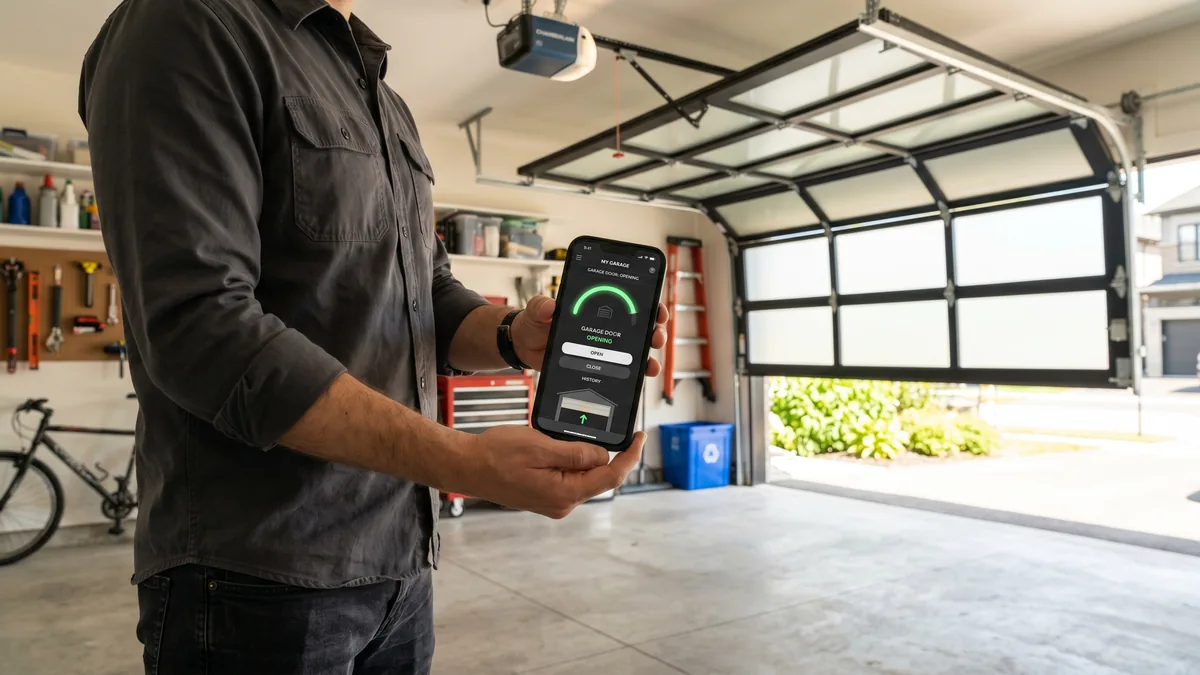
To connect a garage door opener with built-in WiFi: download the app for your opener brand (myQ for LiftMaster/Chamberlain, Aladdin Connect for Genie), create an account, then put the opener in pairing mode and select your home’s 2.4 GHz network. Setup takes 10–15 minutes. For an older non-smart opener, WiFi hub retrofits are discontinued; Royal installs a full smart/myQ opener from $760.
What Is a WiFi Garage Door Opener?
A WiFi garage door opener connects to your home network so you can open, close, and monitor the door from a smartphone app anywhere in the world. Current supported models have the WiFi radio built into the motor head. Royal Garage Doors no longer offers a retrofit hub for older non-smart openers.
Connecting your garage door opener to WiFi means never again driving back to check whether you left the door open. After 15+ years servicing openers across Toronto and the GTA, I’ve set up hundreds of these systems — and the single biggest reason a setup fails is the 2.4 GHz versus 5 GHz network issue. This guide walks through every opener type, the exact pairing steps, and how to fix a connection that keeps dropping.
What You Need Before You Start
Garage door opener WiFi setup is straightforward, but gathering these items first prevents the most common mid-setup roadblocks:
- Your 2.4 GHz WiFi name and password. Opener radios almost never support 5 GHz. If your router broadcasts one combined network name (band steering), you may need to temporarily split the bands or use a 2.4 GHz guest network.
- A smartphone with the brand app installed and Bluetooth enabled (many newer openers pair over Bluetooth first, then hand off to WiFi).
- A decent signal in the garage. Detached and insulated GTA garages often sit at the edge of the home network. If your phone shows one or two bars near the opener, plan to add a mesh node or extender.
- The opener model number, usually on a label on the side or back of the motor head. This tells you whether WiFi is built in or you need a hub.
Connecting an Opener With Built-In WiFi (myQ & Aladdin Connect)
If you bought an opener in roughly the last decade, it likely has a smart radio already. Look for a blue or yellow Wi-Fi/antenna LED on the motor head — that’s your indicator light during pairing.
LiftMaster & Chamberlain (myQ)
- Install the myQ app and create an account (or sign in).
- Tap Add Device → Garage Door Opener and choose your model when prompted.
- Press the Wi-Fi/Learn button (often a small button with an antenna symbol) on the motor head until the blue WiFi LED blinks.
- Your phone connects to the opener’s temporary setup network, then the app asks you to choose your home 2.4 GHz network and enter the password.
- When the LED turns solid blue, the opener is online. Operate the door once from the app to confirm.
If you struggle to find or press the right button, our walkthrough on setting up a myQ smart garage opener covers the button locations for every current LiftMaster series.
Genie (Aladdin Connect)
- Install the Aladdin Connect app and register.
- Tap Add a Garage Door and follow the prompt to enable pairing on the opener’s built-in module.
- Select your 2.4 GHz network and enter the password.
- Calibrate the door so the app learns the fully-open and fully-closed positions, then test.
WiFi Hubs for Older Openers (Discontinued)
Royal Garage Doors no longer sells or installs myQ/WiFi hub retrofits for older non-smart openers. For reliable app control, we supply and install a full smart/myQ opener from $760.
Legacy retrofit products customers may already own are shown only for identification:
| Retrofit Hub | Works With | Voice Control | Best For |
|---|---|---|---|
| Aladdin Connect Retrofit (Genie) | Legacy product | Existing systems only | Not offered |
| Tailwind iQ3 | Legacy product | Existing systems only | Not offered |
| Meross / refoss Smart Opener | Legacy product | Existing systems only | Not offered |
| myQ Smart Garage Hub | Discontinued | Existing systems only | Not offered |
What to do instead
- Check whether the opener already has a built-in WiFi antenna or app logo.
- If it does, use the manufacturer app and the pairing steps above.
- If it does not, assess the opener’s age and mechanical condition before replacement.
- Choose a full smart/myQ opener from $760 supplied and installed.
- Program the app, remotes, travel limits, force settings, and test safety reversal.
If your opener is so old it lacks photo-eye safety sensors, do not enable remote operation — remote closing without working sensors is unsafe and not code-compliant. That is a good moment to consider opener repair or a full smart/myQ unit; see our guide to garage door and opener replacement for what a new install involves.
WiFi Won’t Connect? Troubleshooting the Top Causes
When a garage door opener WiFi setup fails or keeps dropping, it’s almost always one of these, in order of how often I see it on service calls:
- 5 GHz / band steering: The opener can’t see a 5 GHz-only network. Separate your bands or create a 2.4 GHz guest network named clearly (e.g. “Home-2.4”) and pair to that.
- Weak signal in the garage: Concrete, metal doors, and a detached structure all kill WiFi range. Add a mesh node or plug-in extender within line of sight of the opener. This is the #1 cause of openers that connect once then drop offline.
- Wrong password or special characters: Re-type the password carefully; some apps mishandle symbols. Avoid leading/trailing spaces.
- Router MAC filtering or AP isolation: If you use MAC allow-lists, add the opener. AP/client isolation must be off so the phone and opener can talk during setup.
- Firmware out of date: Update the opener and the app, then retry. Outdated firmware causes silent pairing failures.
- Router rebooted or password changed: Any network change drops the opener. Re-run the WiFi setup in the app to rejoin.
For GTA homeowners with detached garages, cold weather can make a marginal connection worse — condensation and temperature swings affect electronics. If you also notice the door behaving oddly in winter, our GTA winter prep checklist is worth a read. And if the door itself is the problem rather than the WiFi (slow, noisy, or reversing), it may be a mechanical issue covered in our opener repair service.
- Use the 2.4 GHz band — never 5 GHz — for the opener.
- Confirm a strong signal at the motor head before pairing.
- Built-in myQ/Aladdin: pair in the app; for non-smart openers, choose a full smart/myQ replacement from $760.
- Enable two-factor authentication and require a PIN for voice closing.
- Never enable remote control on an opener without working safety sensors.
Security & Smart-Home Integration
A WiFi opener is only as secure as the account behind it. Reputable systems use encrypted cloud connections and rolling-code radios, so remote hacking is extremely unlikely — the realistic risk is account compromise, not signal interception.
- Use a strong, unique password for the opener app and enable two-factor authentication.
- Require a PIN for voice and remote closing. Most platforms enforce this for safety so the door can’t close on a person, pet, or vehicle without confirmation.
- Manage guest access carefully and revoke it when a contractor or guest no longer needs it.
- Add automations: geofencing can auto-close the door when your phone leaves home, and an auto-close timer (built into myQ and Aladdin) closes the door after a set period.
Once it’s online, your opener becomes a hub for the whole garage — pair it with a smart camera, get an alert if the door opens at 2 a.m., and integrate it into your broader home-security routine. If you’re upgrading the door at the same time, our team can size and install a full smart/myQ opener from $760 + tax during your next service visit.
Want a Smart Opener Installed Right?
If your opener is too old for WiFi, won’t stay connected, or you want a quiet belt-drive smart unit installed and configured, Royal Garage Doors handles it — FREE service call with any repair or installation across Toronto & the GTA.
Call 437-265-9995Frequently Asked Questions
Manufacturer references: LiftMaster myQ app and Genie Aladdin Connect.