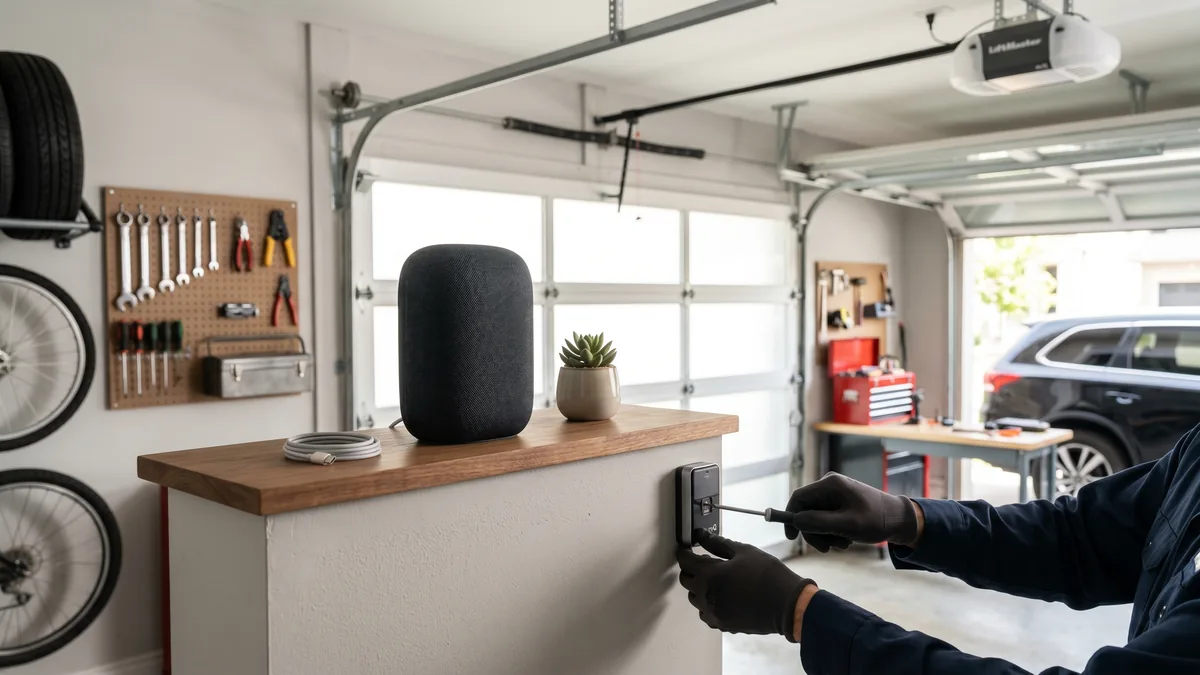
To control your garage door by voice, choose a full smart opener with built-in WiFi, such as a LiftMaster myQ model, and link its app to a supported assistant. Royal Garage Doors supplies and installs full smart/myQ openers from $760; WiFi hub retrofits for non-smart openers are discontinued. Voice closing requires a spoken PIN for safety, and opening can be locked behind a PIN or disabled.
What Is Garage Door Voice Control?
Garage door voice control is the ability to open, close, or check the status of your garage door using spoken commands to a voice assistant such as Amazon Alexa or Google Assistant. The assistant relays your command over WiFi and the cloud to the controller built into a smart opener, which then triggers the door.
Pulling into a snowy GTA driveway with your hands full and saying “Hey Google, open the garage” feels like magic — but voice control involves more than one app. After 15 years installing and servicing smart openers across Mississauga, Toronto, and the surrounding cities, I’ve learned the setup hinges on three things: which opener you own, which assistant you use, and how the platforms handle the safety PIN. This guide walks through all three.
How Voice Control Actually Works
Voice control is not a feature built into the garage door itself. Your door, springs, cables, and opener motor are mechanical and electrical hardware. What makes voice possible is the built-in WiFi controller in a current smart opener, linked to the manufacturer app and a supported assistant.
When you speak a command, the chain of events looks like this:
- The smart speaker or phone hears the wake word and your command.
- The assistant’s cloud interprets it and sends an instruction to the controller’s cloud (for example, the myQ cloud).
- The controller in your garage receives the instruction over your 2.4 GHz WiFi network.
- The controller closes a relay or sends a radio signal to the opener — exactly the same trigger as pressing the wall button.
- The opener runs, and its photo-eye safety sensors and auto-reverse system stay fully in charge of stopping the door if anything is in the path.
That last point matters: voice never overrides the UL 325 safety sensors. If something is under the door, it reverses regardless of how the door was triggered. If your sensors are misaligned, voice closing will fail too — our guide on a sensor blinking red covers the fix.
Step 1: Check Your Opener and Controller Compatibility
Before you buy anything, identify what you already have. Most GTA homes built in the last decade have one of three setups.
If you have a LiftMaster or Chamberlain myQ opener
Look for a WiFi/Internet light or a myQ logo on the motor head. These openers connect directly to the myQ app. For voice, LiftMaster supports Alexa and Google Assistant through official myQ skills/actions. Note that as of 2026 myQ no longer supports Apple HomeKit/Siri natively — that integration was discontinued, so Siri users need a workaround (covered below).
If you have a standard opener (no WiFi)
If your opener is older and has no WiFi, Royal Garage Doors does not add a separate hub: the myQ/WiFi retrofit service is discontinued. For supported voice and app control, choose a full smart/myQ opener from $760 supplied and installed. If your opener is so old it lacks photo-eye sensors, it is not safe to automate — that is a sign it is time for an opener upgrade.
If you are buying a new opener
If you are replacing the opener, buy one with the smart radio built in. A full smart/myQ opener starts from $760 supplied and installed at Royal Garage Doors. See our breakdown of myQ smart opener setup before you decide.
| Controller | Alexa | Siri / HomeKit | Best For | |
|---|---|---|---|---|
| LiftMaster / Chamberlain myQ (built-in) | Yes | Yes | No (discontinued) | Owners of newer LiftMaster openers |
| myQ Smart Garage Hub (add-on) | — | — | — | Discontinued / not offered |
| Meross Smart Garage Opener | Yes | Yes | Yes | Existing third-party systems only |
| Refoss Smart Garage Opener | Yes | Yes | Yes | Existing third-party systems only |
Step 2: Set Up Voice Control on Each Assistant
The exact taps differ slightly by app version, but the pattern is the same across platforms.
Amazon Alexa
- Open the Alexa app and tap More → Skills & Games.
- Search for your controller’s skill (for example “myQ” or “Meross”) and tap Enable to Use.
- Sign in with your controller account and authorize the link.
- Let Alexa discover devices; your garage door appears as a device.
- Open the device settings and set a 4-digit voice code for closing (required) and optionally for opening.
- Test it: “Alexa, close the garage door.” Alexa asks for your code; say the four digits.
Google Assistant
- Open the Google Home app and tap + Add → Works with Google.
- Find your controller brand and link the account.
- Assign the door to a room so commands like “open the garage” are understood.
- Set a verbal PIN in the Home app for the door (Google requires it for both open and close on garage devices).
- Test it: “Hey Google, is the garage door closed?” then “Hey Google, close the garage door.”
Apple Siri (HomeKit)
Because myQ dropped native HomeKit, Apple users typically use a HomeKit-compatible controller such as Meross or Refoss, or a Homebridge bridge.
- Install the controller in the garage and add it in its own app first.
- In the Apple Home app, tap + → Add Accessory and scan the HomeKit setup code.
- Assign it to the “Garage” room; HomeKit treats it as a garage door accessory with built-in confirmation.
- Test it: “Hey Siri, close the garage door.” Siri asks “Are you sure?” on your device before acting.
Step 3: Lock It Down — Voice Control Security
Voice convenience should never come at the cost of security. These are the settings I configure on every install across the GTA.
- Require a PIN to close (always) and to open (recommended): Even though opening is lower-risk, a PIN stops a neighbour’s Alexa or a guest from opening your door.
- Use a unique 4-digit code that is not your house alarm code or a birth year.
- Turn off voice purchasing and guest access on shared speakers so visitors can’t trigger the door.
- Enable open/close notifications in the controller app so you get an alert any time the door moves.
- Set an auto-close timer (15–30 minutes) as a backstop if the door is ever left open.
- Keep firmware updated on the controller; security patches matter for any internet-connected device.
For a deeper look at hardening every entry point, see our guide on preventing garage door break-ins. The garage is the most common break-in point in many homes, so a connected door should make you safer, not less safe.
Common Voice Control Problems and Fixes
When a voice command fails, the door hardware is rarely the cause. Work through these in order.
“Device is unresponsive” or the door won’t move
This is almost always WiFi. Garages are far from the router and behind brick or concrete. Check that the controller’s WiFi light is solid; if not, add a mesh node or extender near the garage. The controller needs a 2.4 GHz band — many controllers can’t see a 5 GHz-only network.
Voice opens the door but won’t close it
If the door opens on command but refuses to close, suspect the safety sensors. If a photo-eye is misaligned or blocked, the opener will not let any trigger close the door — that is the auto-reverse system doing its job. Realign the sensors and clear any debris.
Assistant says “Sorry, something went wrong”
Re-link the skill/action. Cloud tokens expire, especially after a password change. Disable and re-enable the skill, then sign in again.
The door reverses partway down
This points to a mechanical issue — usually a track obstruction, worn rollers, or a balance problem from a weak spring — not voice control. If your door slams, jerks, or reverses on its own, see why a garage door won’t close fully and have the balance checked. A single torsion spring replacement runs $280 at Royal Garage Doors.
Want Voice Control Installed Right?
We install and configure full smart/myQ, voice-ready garage door openers across Toronto & the GTA — sensors aligned, PIN secured, and tested end to end. Supplied and installed from $760 with a FREE service call on any repair or installation.
Call 437-265-9995Frequently Asked Questions
Sources: LiftMaster myQ & Amazon Alexa support and UL 325 safety standard for garage door operators.